RD-Agent और Qlib configuration
Updated 2026-09-06
Research agent model layer configure करें, उसके embeddings को अलग validate करें और iterative experiment शुरू करने से पहले local quantitative environment तैयार करें।
RD-Agent और Qlib की अलग जिम्मेदारियां तय करें
RD-Agent का उपयोग research implementations develop और revise करने के लिए करें और Qlib का उपयोग configured quantitative workflow execute करने के लिए। Agent के model calls hypotheses propose, code लिख और feedback interpret कर सकते हैं। Qlib अपने experiment environment में data, training और evaluation संभालता है। इसलिए model API key केवल एक dependency हल करती है। Setup से पहले specific RD-Agent scenario चुनें, project revision pin करें और dataset तथा evaluation boundaries define करें। इससे environment preparation उन research decisions से अलग रहती है जो agent करेगा।
Documented backend से chat और embedding configure करें
Reviewed revision 32b3d395 पर RD-Agent का .env.example LiteLLM backend, chat model और OpenAI-compatible base तथा अलग proxy-prefixed embedding route document करता है। नीचे का shell template application-owned model slots को इन documented fields में map करता है। Capabilities जांचने के बाद current chat model चुनें। EMBEDDING_BASE_URL और EMBEDDING_MODEL_ID independently available embedding service को refer करने चाहिए; chat gateway इसे provide करती है, ऐसा न मानें। दोनों credentials environment से दें और pinned version के scenario की documented startup command इस्तेमाल करें।
export BACKEND=rdagent.oai.backend.LiteLLMAPIBackend
export OPENAI_API_BASE=https://api.apisrouter.com/v1
export CHAT_MODEL="openai/$RESEARCH_MODEL_ID"
# Set OPENAI_API_KEY securely for the chat endpoint.

export LITELLM_PROXY_API_BASE="$EMBEDDING_BASE_URL"
export EMBEDDING_MODEL="litellm_proxy/$EMBEDDING_MODEL_ID"
# Set LITELLM_PROXY_API_KEY securely for the embedding service.
दोनों model capabilities को स्वतंत्र रूप से validate करें
जांचें कि selected chat client scenario के required response format और tool behavior कर सकता है। Embeddings के लिए nonempty vector, consistent dimension और stable model identity जांचें। Embedding model बदलने पर stored vectors rebuild करने पड़ सकते हैं; successful chat response retrieval validate नहीं करता। Source-backed diagram केवल proposed chat route दिखाती है। LiteLLM provider prefixes client behavior चुनते हैं और जरूरी नहीं कि endpoint पर दिखने वाला model ID हों, इसलिए configured value और resolved request identity दोनों रखें।
Agent loop से पहले quantitative environment तैयार करें
छोटे deterministic check से dataset, Python environment और permitted execution container verify करें। International research के लिए dataset region, market calendar और instrument universe को intended market से align करें। Qlib workflow documentation US region support करती है, लेकिन उसके example dataset और assumptions को दूसरे market में unchanged copy नहीं करना चाहिए। Historical coverage, adjustment policy और benchmark identity confirm करें। तभी agent को उस environment के विरुद्ध candidate code generate करने दें; वरना repeated model revisions केवल broken data setup की भरपाई कर सकती हैं।
Hypothesis, code और feedback को साथ inspect करें
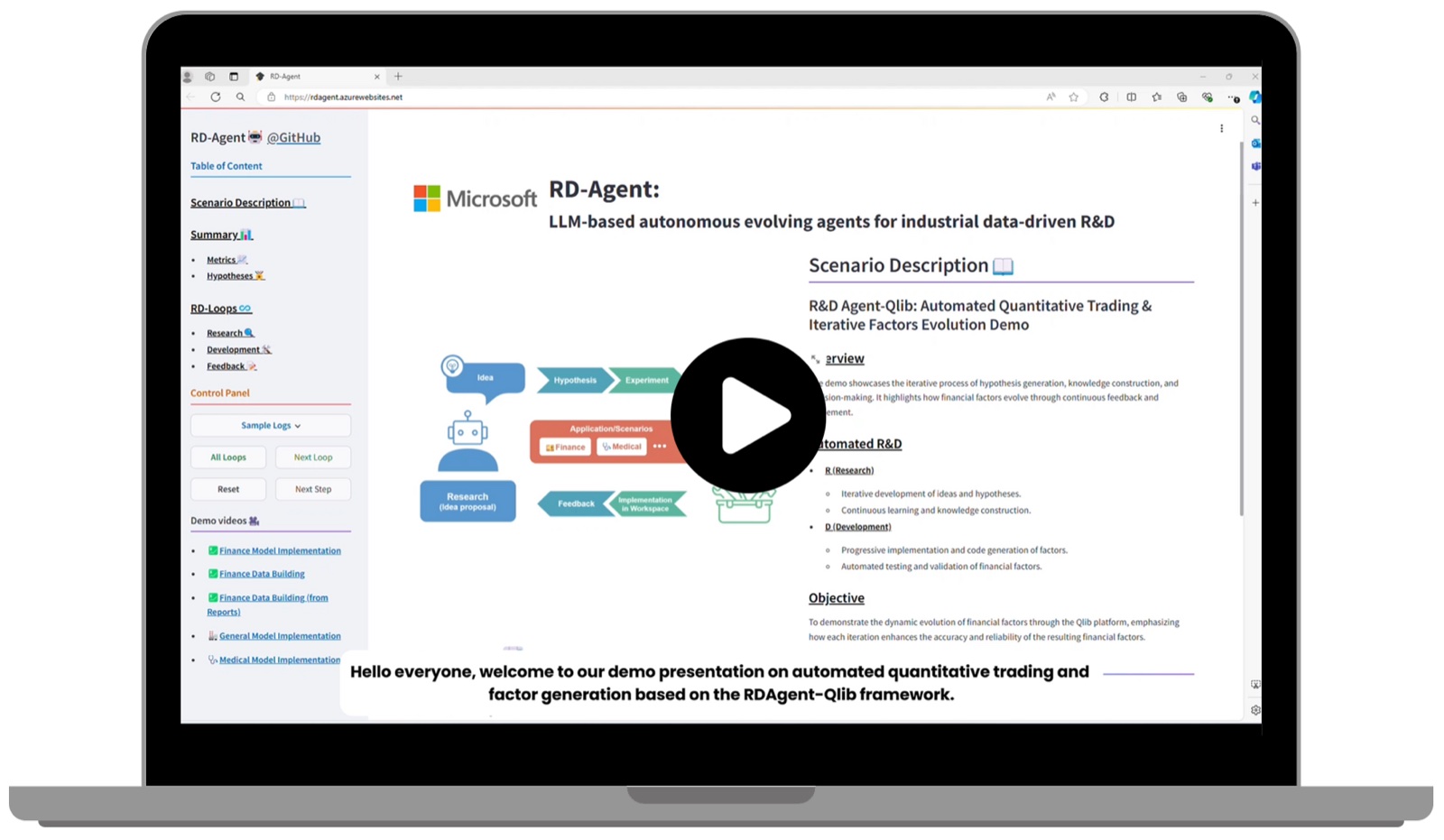
Official RD-Agent illustration iterative research interface दिखाती है। इस structure को reminder की तरह इस्तेमाल करें कि हर hypothesis को उसकी implementation और feedback के साथ रखें, केवल final report न बचाएं। Reviewer को पता चलना चाहिए कि agent ने software error fix किया, research question बदला या score देखने के बाद अलग candidate चुना। Rejected experiments accessible रखें और tool output को agent की interpretation से अलग करें।
Code execution सीमित करें और evaluation independence रखें
Generated code explicit filesystem, network और resource limits के साथ चलाएं। केवल required datasets mount करें और unrelated credentials expose न करें। Iterative development से पहले train, validation और held-out evaluation windows freeze करें। Test feedback agent को बार-बार लौटाया जाए तो दर्ज करें कि test period development process का हिस्सा बन चुका है। Experiment manifest में source revision, code hash, data version, configuration, environment identity और selection decision शामिल हों। इससे successful execution और methodological failure दोनों अगले reviewer को दिखाई देते हैं।
Costs track करें और failed stage से recover करें
Chat और embedding request ledger को experiment IDs से local compute ledger के साथ join करें। LiteLLM cost estimates जरूरी नहीं कि gateway के actual charges हों; applicable billing record से reconcile करें। Model transport failure, vector-index mismatch, code exception और missing Qlib data को अलग states में रखें। Fixed budget के भीतर transient calls retry करें और code errors inspection के लिए बचाएं। केवल एक source artifact या model request में correction चाहिए तो पूरा loop restart न करें; relevant model, code या dataset बदलने पर caches invalidate करें।
प्रमाण और सीमाएं
Environment fields और backend behavior को September 5, 2026 को official source revision 32b3d395 में review किया गया। Qlib invocation और responsibilities उसके official documentation का पालन करते हैं। इस guide के लिए APIsRouter के जरिए कोई project-client request, embedding result या complete RD-Agent/Qlib loop execute नहीं किया गया। अगला acceptance step preserved inputs, request evidence और numerical outputs वाला bounded scenario है।
अक्सर पूछे जाने वाले प्रश्न
क्या Qlib OPENAI_API_BASE इस्तेमाल करता है?
यह variable यहां वर्णित agent model path configure करता है। Qlib खुद data, model और evaluation work अपने runtime में करता है।
क्या मैं अलग embedding provider इस्तेमाल कर सकता हूं?
Reviewed template अलग LITELLM_PROXY_API_BASE और key तथा litellm_proxy-prefixed model document करता है। चुनी हुई service और vector compatibility को स्वतंत्र रूप से verify करें।
Chat model में openai/ prefix क्यों है?
यह LiteLLM में compatible provider चुनता है। Endpoint validate करते समय resolved request model ID जांचें; हर prefix unchanged forward होता है, ऐसा न मानें।
क्या chat hello research loop validate करेगा?
नहीं। यह एक client operation test करता है। Embeddings, retrieval, code execution, Qlib data और final evaluation में से हर एक को अपना observable outcome चाहिए।
Agent code बदलता है तो क्या सुरक्षित रखना चाहिए?
Prior code, new code, hypothesis, feedback और experiment identity रखें, ताकि reviewers search reconstruct कर सकें और evaluation leakage पहचान सकें।