Codex Astra usage limits और paid continuation
Updated 2026-09-05
पहले पहचानें कि task किस account और allowance पर रुका। फिर अपनी billing, access और feature boundaries वाले documented continuation path को चुनें।
Limit message account signal है, model verdict नहीं
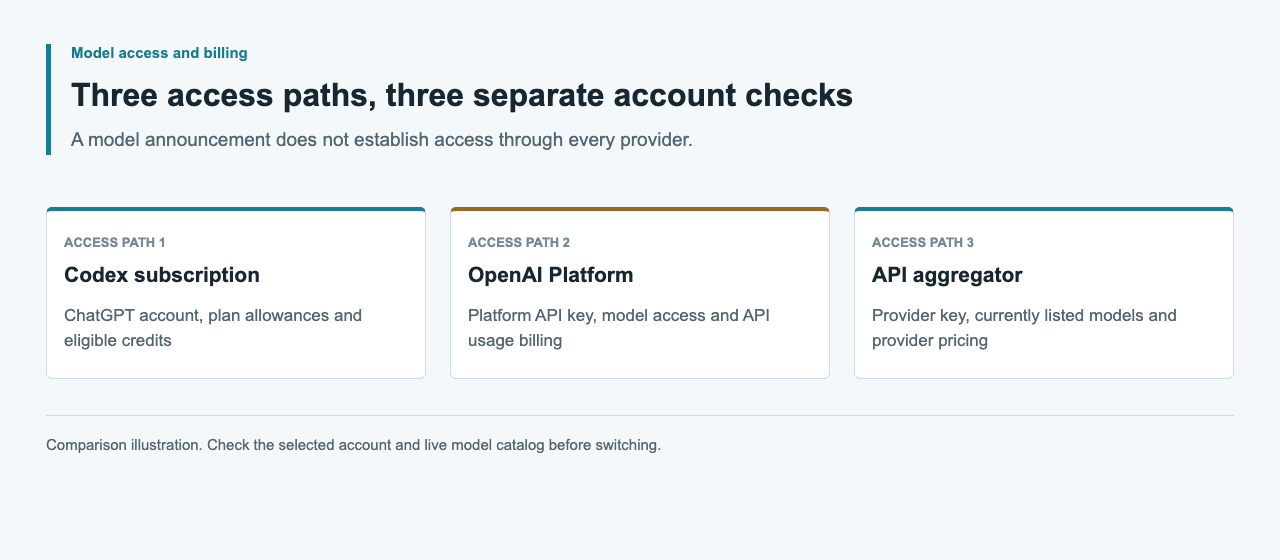
Codex allowance तक पहुँचने का अर्थ यह नहीं कि Astra गायब हो गया या किसी दूसरे API account में भी वही remaining capacity है। पहले जाँचें कि current session ChatGPT login या API key का उपयोग कर रही है। OpenAI local work के लिए इन्हें अलग authentication और billing paths के रूप में document करता है।
Official pricing guide कहती है कि ChatGPT Work और Codex usage share करते हैं। वह included allowances, additional credits और API-key usage के बीच भी अंतर करती है। एक ही task अलग controls से टकरा सकता है, यह इस पर निर्भर है कि वह कहाँ चलता है और authentication कैसे हुई। पहले affected allowance पहचानें, फिर तय करें कि wait करना है, eligible credits उपयोग करने हैं या API-key billing के साथ local जारी रखना है।
Dashboard और active CLI session पढ़ें
Current limits और reset times के लिए official Codex usage dashboard उपयोग करें। Interactive Codex CLI session में /status remaining limits दिखाता है। अलग से, codex login status active authentication method बताता है। Numbers समझने से पहले selected account या workspace record करें, खासकर जब आप एक से अधिक organizations उपयोग करते हों।
Pricing page के message ranges estimates हैं, Astra turns का fixed promise नहीं। Local messages और cloud chats plan allowance share करते हैं और weekly limits भी लागू हो सकती हैं। Dashboard observation उस account और समय तक specific है। दूसरे plan के screenshot या published estimate को अपने task की countdown न बनाएँ।
codex login status/statusSimilar prompts अलग allowances क्यों consume कर सकते हैं
OpenAI model choice, task complexity, context, reasoning, tools, retrieval और caching को usage factors के रूप में पहचानता है। Short instruction बड़ा repository inspection या लंबा tool loop शुरू कर सकती है, जबकि लंबा self-contained question कम work माँग सकता है। इसलिए prompt length अकेले unreliable predictor है।
अपना pattern समझने के लिए usage observations के साथ task outcomes रखें: कौन-सी source material शामिल थी, कौन-सा model चुना गया और repeated revision चाहिए थी या नहीं। Similar accepted tasks compare करें, messages को अकेले count न करें। Irrelevant context घटाने या छोटा suitable model चुनने का प्रयास करें, फिर original task से result और usage compare करें। Completion criteria समान रखें, ताकि छोटा लेकिन अधूरा answer improvement जैसा न दिखे।
Documented continuation choices की तुलना करें
Official pricing guide एक से अधिक paths देती है। Plus और Pro users included limits तक पहुँचने पर additional credits खरीद सकते हैं। Eligible Business, Enterprise और Edu workspaces अपने pricing arrangement के अंतर्गत additional workspace credits उपयोग कर सकते हैं। Users API rates पर API key के साथ extra local work भी चला सकते हैं।
Task की required surface, features और billing owner के आधार पर चुनें। Displayed reset का इंतजार current account path बनाए रखता है। Capacity बची हो और काम उसके अनुकूल हो तो model बदलना मदद कर सकता है। API-key work separately metered है; यह API limits bypass करने या existing subscription को unlimited usage में बदलने का mechanism नहीं।
| Choice | Accounting path | पहले जाँचें |
|---|---|---|
| Wait for reset | Current plan allowance | Dashboard reset time और active window |
| Smaller suitable model उपयोग करें | Current plan allowance | Remaining capacity और task requirements |
| Additional personal credits | Eligible ChatGPT plan credits | आपके account पर दिखा offer और terms |
| Additional workspace credits | Eligible workspace pricing | Administrator policy और agreement |
| Extra local API-key work | OpenAI Platform API usage | Model access, rates और feature support |
जानबूझकर auth change करके local work जारी रखें
Login mode बदलने से पहले task की working files, accepted decisions और remaining checks सुरक्षित रखें। OpenAI desktop app, CLI और IDE extension में local API-key authentication support करता है; Codex cloud के लिए ChatGPT login चाहिए। Cloud से local work में जाने वाले task के लिए जारी रखने से पहले local checkout, dependencies और required integrations तैयार करें।
CLI के लिए नीचे दिए command से अपना OPENAI_API_KEY stdin के माध्यम से दें, फिर login status confirm करें। Work भेजने से पहले custom provider settings review करें और अपनी key को उपलब्ध model चुनें। CLI और extension credentials share कर सकते हैं, इसलिए दोनों साथ उपयोग हों तो दोनों check करें। इस mode में model work आपके OpenAI Platform account के API rates पर charges incur करती है।
printenv OPENAI_API_KEY | codex login --with-api-key
codex login status
Subscription exhaustion और API errors में अंतर करें
API-key request credentials, model access, rate pressure, prepaid credit exhaustion या enforced spend limits के कारण भी fail हो सकती है। ये Platform controls हैं, Codex subscription reset clock नहीं। Structured API errors और relevant project settings inspect करें; हर limit का remedy समान मानकर न चलें।
OpenAI error guide credit_balance_exhausted, project_spend_limit_exceeded और organization_spend_limit_exceeded को request-rate errors से अलग करती है। Billing या spend-limit error retry करने से access restore नहीं होता। Rate pressure में Retry-After मौजूद हो तो follow करें और requests pace करें। Logs redacted रखें और error code सुरक्षित रखें; application का visible phrase वह distinction छोड़ सकता है जो अगला कदम तय करती है।
| Limit surface | Authoritative check | Decision |
|---|---|---|
| ChatGPT-authenticated Codex | Usage dashboard; CLI /status | Reset, eligible credits या task adjustment |
| API request rate | API error और rate-limit headers | Pace घटाएँ और bounds में retry करें |
| API prepaid balance | credit_balance_exhausted; Platform billing | अधिक requests से पहले funding review करें |
| API spend limit | Structured spend-limit code; account settings | Budget decision प्राप्त करें |
Provider availability और evidence: 5 सितंबर 2026
इस guide के continuation paths official Codex pricing और authentication documentation से आते हैं। Article के लिए कोई live account transition नहीं किया गया। 5 सितंबर 2026 की APIsRouter public pricing check ने HTTP 200, success: true और 34 models लौटाए, जिनमें Astra या GPT-6 entry नहीं थी।
APIsRouter balance ChatGPT allowances को replenish नहीं करता और यह catalog observation Astra continuation route स्थापित नहीं करती। Current offerings के लिए live catalog उपयोग करें। किसी दूसरे provider के लिए model identity, supported protocol और billing terms अलग जाँचें; subscription credits और Codex workspace features endpoint बदलने पर transfer नहीं होते।
Budget और clear completion test के साथ resume करें
Account path चुनने के बाद अगला concrete milestone फिर लिखें: reviewed code change, validated document या कोई अन्य observable output। Duplicate task शुरू करने से पहले जाँचें कि unfinished work अभी चल तो नहीं रहा। Previous artifacts सुरक्षित रखें, ताकि नया प्रयास महँगा work silently repeat न करे।
New authentication mode, model और usage evidence को earlier subscription activity से अलग record करें। API work के लिए approved task budget और bounded retry policy तय करें, फिर completion के बाद recorded usage reconcile करें। Official guide fair use के अधीन usage limit पहुँचने के बाद active turn जारी रहने की अनुमति देती है; यह हर task के finish होने या अगली turn में capacity होने का promise नहीं।
अक्सर पूछे जाने वाले प्रश्न
Codex में मुझे Astra के कितने messages मिलते हैं?
Universal fixed count नहीं है। Official pricing page model, task complexity और execution context से प्रभावित estimates देती है। Current limits और resets के लिए usage dashboard और CLI /status देखें।
क्या plan बदले बिना extra usage खरीद सकता हूँ?
Official guide Plus और Pro के लिए additional credits तथा eligible flexible-pricing plans के लिए additional workspace credits document करती है। अपने account का offer और policy जाँचें।
क्या API-key usage मेरी subscription allowance खर्च करती है?
OpenAI API-key mode included ChatGPT plan credits के बजाय Platform API billing उपयोग करता है। उसकी अपनी model access, rate limits और billing controls फिर भी लागू हैं।
क्या API-key login हर Codex feature बचाएगा?
नहीं। Local API-key work documented है, लेकिन ChatGPT workspace access या cloud services पर निर्भर features सीमित या unavailable हो सकती हैं। Codex cloud को ChatGPT authentication चाहिए।
क्या APIsRouter top-up मेरा Astra limit restore कर सकता है?
नहीं। यह ChatGPT allowances replenish नहीं करता। 5 सितंबर 2026 की APIsRouter catalog check में Astra भी absent था; current offerings के लिए live catalog देखें।